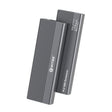
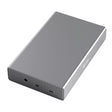
Reuse an old laptop drive
Take the drive out of an old laptop and give it a second life as an external drive, without screws.


Questions about a product or your order? We usually reply within one working day.
Ask your question info@pelkonic.com

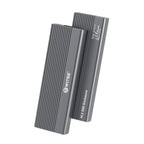
Switss® 2.5 inch HDD/SSD enclosure
Turn your own 2.5 inch hard drive or SSD into external storage, without screws.
Note: drive not included.
Order before 16:00, delivered tomorrow
Switss® 2.5 inch HDD/SSD enclosure
USB 3.0 with UASP, 2.5 inch SATA, up to 4 TB.
Empty enclosure: you fit your own 2.5 inch drive (HDD or SSD). Which drive fits?
€12,49incl. VAT€10,32excl. VAT
In stock
Drive not included
Check whether your drive and computer fitUp to 450 MB/s read and write with an SSD, if your computer and the cable support it. On an older USB port it is slower.
Answer the questions above.
Do you have a question about which drive fits or how to connect it? Email info@pelkonic.com. We usually respond within one business day.
Before you order: how it fits, how to set it up and whether it works with your laptop.
More detail
A 2.5 inch hard drive or SSD with a SATA connector fits, any brand, up to 4 TB. You can recognise SATA by two flat contact strips side by side. M.2 SSDs and 3.5 inch drives do not fit.
More detail
Yes, in three steps and without screws or tools: open the bottom, slide the drive onto the connector and slide the enclosure shut. You don't need extra software (drivers). You prepare a new drive once before first use.
More detail
It works on Windows, macOS and Linux. The included cable has USB-A and USB-C for the computer side, so it fits both ports. On an old USB 2.0 port it is slower and may get too little power during intensive use.
In use
Make it an external drive, without screws

With an SSD via USB 3.0 with UASP (5 Gbps). With a hard drive the speed is lower. The drive goes onto the connector of the frame, the frame slides into the enclosure, the cover closes.
Compatibility
SATA HDD and SSD, any brand, up to 4 TB
More detail
The enclosure fits one 2.5 inch SATA drive: a hard drive (HDD) or an SSD of any brand, up to 4 TB.
The drive is powered through the USB cable. No power adapter is needed.
M.2, NVMe, mSATA, IDE and 3.5 inch drives do not fit: the enclosure only works with 2.5 inch SATA.

Housing
Silent: no fan and no moving parts in the enclosure
More detail
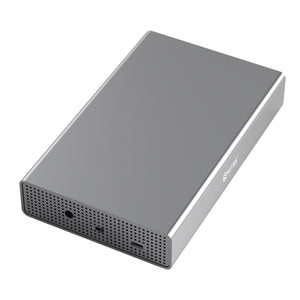
The enclosure is made of aluminium alloy with ABS plastic parts, with ribs across the whole top. There is no fan inside, so the enclosure itself makes no noise.
Your drive sits on a frame inside the enclosure. The frame slides out through the short side to fit the drive.
Silent, no fan
nothing to break
Aluminium, 81 grams
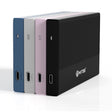
in black, blue, pink or silver
Speed
Up to 450 MB/s with an SSD via USB 3.0
More detail
With an SSD you reach up to 450 MB/s read and write via USB 3.0 with UASP (5 Gbps). With a hard drive the speed is lower. The actual speed depends on your drive and your port.

450 MB/s with an SSD via USB 3.0 with UASP (5 Gbps). With a hard drive the speed is lower.
Which drive
Look at the size and at the connector on the back

a wide one for power and a narrow one for data
from a laptop
fits
from a desktop or NAS, too big
does not fit
old drive, wide plug
does not fit
Installation
Cover off, frame out, drive on the connector, close
Slide the cover on the short side in the direction of the arrow until it stops, then pull it straight off

Carefully push the frame out of the enclosure and take your drive: its SATA connector sits on the short side

Place the drive's connector on the connector of the frame, it only fits one way, and press the drive towards the connector and down at the same time

Slide the frame back in and slide the cover on with the arrows on the cover and the enclosure pointing the same way. Does it feel stiff? Do not force it

Devices
Works with your laptop, PC, tablet and phone

Operating systems
Connections
The only connection is the USB-C port on the short side


Port
The included cable fits a USB-A or USB-C port on your laptop or PC
USB 3.0 · 5 Gbps
up to 450 MB/s with an SSD
USB 2.0 · 480 Mbps
slower, may lack power in heavy use
USB 3.0 · 5 Gbps · the cable has USB-C too
up to 450 MB/s with an SSD
lightning or battery, no SS symbol
does not work
First use
A used drive appears straight away, a new one only after initialising
Formatting erases everything on the drive. Always eject safely before unplugging the cable
Dimensions
How big the enclosure is, next to a bank card
In the box
Everything you need, except the drive
| Part | Qty |
|---|---|
| 1Switss enclosure | 1× |
| 2USB-C/USB-A to USB-C cableUSB-C on the enclosure side, USB-A or USB-C on the computer side | 1× |
| 3Manual | 1× |
Take the drive out of an old laptop and give it a second life as an external drive, without screws.
Keep a copy of your photos, videos and documents on a separate drive of up to 4 TB that weighs 81 grams.
Store your RAW files and video projects on an SSD and work on them straight from the enclosure.
Fits in a laptop bag or pocket and works on any computer with a USB-A or USB-C port, without installing anything.
| Specification | SW-2,5INCH |
|---|---|
| Connection | USB 3.0 with UASP (5 Gbps), USB-C on the enclosure, cable to USB-A or USB-C |
| Speed | Up to 450 MB/s read and write with an SSD |
| Drive type | 2.5 inch SATA HDD and SSD, any brand |
| Max. capacity | Up to 4 TB |
| Power | Through the USB cable, no power adapter |
| Mounting | Without screws or tools |
| Housing | Aluminium with ABS, no fan |
| Compatibility | Windows, macOS, Linux and Android |
| Installation | No drivers needed |
| Dimensions | 122 × 76 × 13 mm · 81 g |
| Warranty | 3-year producer guarantee (EU GARAN label) |
5% off from 2 units · 10% off from 10 units applied automatically in your cart
Invoice with VAT · KvK 76439534 · VAT NL860623646B01
No. This is an empty enclosure: you fit your own 2.5 inch SATA hard drive or SSD. No screws or tools are needed. No drive yet? Check above which drive fits first.
All 2.5 inch SATA hard drives and SSDs, any brand, up to 4 TB. M.2, NVMe, mSATA, IDE and 3.5 inch drives do not fit.
No. The enclosure and your drive are powered through the USB cable. Use a USB 3.0 port for full speed; on a USB 2.0 port it works slower and may get too little power during intensive use.
Windows, macOS, Linux and Android, without drivers. The included cable has USB-A and USB-C for the computer side, so it fits laptops with either port.
With an SSD you reach up to 450 MB/s read and write via USB 3.0 with UASP (5 Gbps). With a hard drive the speed is lower. The actual speed depends on your drive and your computer's port.
3-year producer guarantee under the EU GARAN label, with direct Dutch customer service. A question about which drive fits or how to connect it? We usually reply within one business day.
Still not sure? Ask your question and a real person usually replies within one working day.
3.9 Based on 23 reviews
The average is calculated over the reviews shown here. The coloured label shows where a review was posted, for example bol or our own store. Reviews from other websites are copied unchanged. Verified purchase means the author bought the product there. We show every review that says something about the product, including negative ones, and we never edit the text. Reviews only about delivery or customer service and reviews containing insults are not shown. A review posted in more than one place is shown once. A review written in another language than yours is translated automatically.
Very easy and small enclosure. As a photographer I take a lot of photos and edits these often on the laptop/macbook when I am on a shoot. Ordered all colors and in each is a 4TB SSD so I am never short of space when I am on the road.
Does exactly as described.
Sturdy enclosure. Best ever purchased, highly recommended.
Nice compact and handy enclosure for my old loose 2.5" HDDs and SSDs. JSt look in the user manual how the enclosure should open and otherwise a child can do the laundry. Also nice that the supplied little cable is USB-C to USB-C with on one side an extra adapter from USB-C to USB-A. Because of the attractive price I bought one of each color. They work fine.
Beyond expectations a sturdy aluminum enclosure. The plastic mounting frame contains two nipples to exactly right posion the HDD. It was a bit of searching that you had to press out the plastic frame, this was not clear in the manual.
Hugo
Looks nice, but I still don't know how to get it open...
Casing is in itself quite solid only it is exceptionally difficult to get open and the manual is inadequate and even incomplete, if you don't know the product it will take quite some time before you get into it, this is also not clearly stated in the manual.
Pros
Cons
Bought in november 2024 for over 20€. Put SSD in it. Connected to pc a few times, and suddenly it doesn't work anymore. Computer no longer recognizes the drive. Used other cable, and connected to other pc. No result. January 2026 reported to the seller , but falls outside warranty period. Is so-called grey area regarding warranty period. Junk thus
Solid enclosure.
The outer casing is made of aluminum, the bay the HD goes in presumably not. Presumably because I can't get it out. After I slid off the plastic back with difficulty I stumbled upon a 2nd plastic thing which is presumably the HD bay. The included description does not say how to take this bay out. First I tried to pry it out with a screwdriver but the plastic is of bad quality and the chance that I will damage the bay is big. Then just sent the supplier an e-mail. That was yesterday and I received an e-mail with an incident number and the message that I will receive an answer as soon as possible. That is what I'm waiting for now.......
The deliverry was very fast. The little hard drive was builn-in within three minutes and works without problems.
Simple enclosure, but does what it has to do.
Pros
Cons
Manual could be clearer, and the little cable is quite short...but for the rest it does what it has to do..
Pros
Cons
Super fast delivery and a very good quality. Highly recommended.
Pros
I immediately ordered two because it seems handy to me to be able to take the ssds everywhere with me like this and it saves me buying new external ssds.
Worthless thing
Product seems great but you have to go looking for a clear user msnual yourself.
Pros
Cons
I had ordered it and inside the same evening. Still had a hard drive and put it in and connected. My laptop saw it right away. It does iy super. Soon replacing 2 old enclosures for 2 more of these.
Sturdy, and solid material.
Fits all perfectly and no loose screws or parts.
Delivered with manual and extra cable
Pros
Very beautiful and sturdy enclosure. Very easy to install the drive.
Cable included. Highly recommended with a favorable price!
Pros
Cons
Nice product. Works very well
Bought for an ssd I had left over but the quality leaves to be desired.
When writing data or music the thing drops out, drive no longer visible you can start all over again.
So for me not this one anymore.
Cons
SSD enclosure with formatted SSD tested on two W10 machines. Both systems kept hanging with the connected device, No extra drive available. Disappointing.
Pros
Cons


Switss® is a Dutch brand run by two brothers, Matthijs and Luca. Send us your question and your laptop model. One of us usually replies within one working day.
These products work extra well together. Ordered once, delivered once.


€29,99incl. VAT€24,79excl. VAT
Together
€42,48incl. VAT€35,11excl. VAT
€40,37incl. VAT€33,36excl. VAT
5% combo discount, automatically applied in your cart


€18,99incl. VAT€15,69excl. VAT
Together
€31,48incl. VAT€26,02excl. VAT
€29,92incl. VAT€24,73excl. VAT
5% combo discount, automatically applied in your cart


€11,99incl. VAT€9,91excl. VAT
Together
€24,48incl. VAT€20,23excl. VAT
€23,27incl. VAT€19,23excl. VAT
5% combo discount, automatically applied in your cart
Guide articles related to this product, with clear explanations on use and connection.

This isn't the first time you're buying something for business, and you know what you need before trusting a new supplier: an...

You have an old hard drive lying around, from a computer that became slow, or one you got rid of during a...

Rescuing photos from your old computer: that's probably exactly why you're here. Your old computer is getting slow, or you're moving house...
 A Dutch brand you can rely on
Your Cart is Empty
Storage. Connection. Simplicity.
Goes well with your order
€18,99