Photo & video
Work smoothly with 4K footage and large RAW libraries, on the go or at your desk. A 20 GB 4K video is transferred in about 20 seconds.


Questions about a product or your order? We usually reply within one working day.
Ask your question info@pelkonic.com
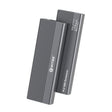
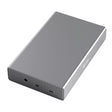
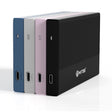
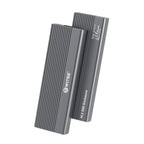
Switss® M.2 SSD enclosure
Turn your own M.2 SSD into lightning-fast external storage, whichever type you have.
Note: SSD not included.
Order before 16:00, delivered tomorrow
Switss® M.2 SSD enclosure
USB-C 10 Gbps, NVMe & SATA, always cool.
Empty enclosure: you fit your own M.2 SSD (NVMe or SATA). Which SSD fits?
€18,99incl. VAT€15,69excl. VAT
In stock
SSD not included
Check whether your SSD and computer fitUp to 1050 MB/s read with an NVMe SSD on a 10 Gbps USB-C port; with a SATA SSD around 500 MB/s.
Answer the questions above.
Not sure? Send a photo of your SSD or your computer model to info@pelkonic.com. We usually respond within one business day.
Before you order: how it fits, how to set it up and whether it works with your laptop.
More detail
An NVMe or SATA M.2 SSD fits, in sizes 2230 to 2280 and up to 8 TB. Look at the notch in the gold edge: M-key and M+B-key fit, B-key does not. An mSATA or 2.5 inch SSD does not fit either.
More detail
Yes, in four steps and without screws or tools: tray out, SSD with thermal pad into the connector, silicone plug in, and tray back until it clicks. You don't need extra software (drivers). You prepare a new SSD once before first use.
More detail
Yes, on Windows, macOS and Linux, via USB-C or with the included USB-A adapter. You get full speed on a 10 Gbps USB-C port; an older port also works, but more slowly. A USB-C port that only charges will not work.
In use
A fast external drive in one minute

10 GB in about 10 seconds at 1000 MB/s write, NVMe SSD on a USB 3.2 Gen 2 port (10 Gbps)
Compatibility
From 2230 to 2280, NVMe and SATA, up to 8 TB
More detail
Works with both NVMe (PCIe) and SATA (NGFF) M.2 SSDs in sizes 2230, 2242, 2260 and 2280, up to 8 TB. Tested with popular SSDs such as Crucial P3, Samsung 860 EVO, Kingston A2000 and Intel 660P.

Put the silicone plug in the hole that matches the length of your SSD
Cooling
The aluminium carries the heat away from your SSD
More detail
SSDs get hot under heavy use and then slow down automatically. The aluminium enclosure and the included thermal pad carry that heat away, so your SSD stays at full speed during long sessions.
Stays at full speed
Even on long transfers
Silent, no fan
Nothing to break
Speed
Up to 1050 MB/s with an NVMe SSD
More detail
With an NVMe SSD you reach up to 1050 MB/s read and 1000 MB/s write via USB-C 3.2 Gen 2 (10 Gbps). SATA M.2 SSDs reach about 500 MB/s. Both fit in the same enclosure.

With an NVMe SSD on a USB 3.2 Gen 2 port (10 Gbps)
Which SSD
Look at the notch in the gold edge of your SSD

See where the notch is
one notch on the left
fits
two notches
fits
one notch on the right
does not fit
Installation
No screws, no tools
Set the lock to open, pull the tray out

Thermal pad on, then push in at an angle

The plug holds the SSD in place

So the clip snaps in by itself

Devices
Works with your laptop, PC, tablet and phone

Operating systems
Port
Speed depends on the port on your laptop or PC
USB 3.2 Gen 2 · 10 Gbps
up to 1050 MB/s
USB 3.0 / 3.2 Gen 1 · 5 Gbps
about 500 MB/s
USB 2.0 · 480 Mbps
about 40 MB/s
lightning or battery, no SS symbol
does not work
First use
A new SSD only shows up once it is initialised, which takes two minutes
Always eject safely before unplugging the cable
Dimensions
Fits in your pocket, lighter than your phone


In the box
Supplied without an M.2 SSD


| Part | Qty |
|---|---|
| 1Switss® M.2 enclosure | 1× |
| 2USB-C cable, 30 cmWith USB-A adapter | 1× |
| 3Thermal pad | 1× |
| 4Silicone plugs1 spare | 2× |
| 5ManualNL · EN · FR · DE | 1× |
Work smoothly with 4K footage and large RAW libraries, on the go or at your desk. A 20 GB 4K video is transferred in about 20 seconds.
Not enough storage? Put your photos, projects and backups on a fast external SSD instead of in the cloud.
Put your media library on the PS5 or Xbox, or games and media on the PlayStation 4.
Got a spare M.2 SSD after an upgrade? Give it a second life as a fast external drive.
| Specification | SW-M2-01 |
|---|---|
| Connection | USB-C 3.2 Gen 2 (10 Gbps) |
| SSD type | M.2 NVMe (PCIe) + M.2 SATA (NGFF) |
| M.2 sizes | 2230 · 2242 · 2260 · 2280 |
| Max. capacity | Up to 8 TB |
| Cooling | Aluminium enclosure with heatsink and thermal pad |
| Mounting | Silicone plug, no screws |
| Installation | No drivers needed |
| Dimensions | 116 × 38 × 13 mm · 71 g |
| Warranty | 3-year producer guarantee (EU GARAN label) |
5% off from 2 units · 10% off from 10 units applied automatically in your cart
Invoice with VAT · KvK 76439534 · VAT NL860623646B01
NVMe (PCIe) is the faster technology and reaches up to 1050 MB/s in this enclosure. SATA (NGFF) is older and reaches up to about 500 MB/s. Both fit in the same Switss® enclosure.
Sizes 2230, 2242, 2260 and 2280, up to 8 TB. The enclosure does not fit 2.5-inch SSDs or hard drives.
On Windows, macOS and Linux, plug and play, no drivers. You prepare a new or empty SSD once via Disk Management (Windows) or Disk Utility (macOS).
On the PlayStation 4, the enclosure works for both games and media. On the PlayStation 5 and Xbox only for media such as films and music, not for installing games. And yes: also on an iPhone 15 or newer (USB-C) and on Android phones and tablets with USB-C.
No. This is an empty enclosure: you fit your own M.2 SSD (NVMe or SATA, 2230 to 2280) and secure it without screws using the silicone plug. No SSD yet? Check “Which SSD fits” above first, so you know you are ordering the right one.
3-year producer guarantee under the EU GARAN label, with direct Dutch customer service. A question? We usually reply within one business day.
Still not sure? Ask your question and a real person usually replies within one working day.
4.2 Based on 73 reviews
The average is calculated over the reviews shown here. The coloured label shows where a review was posted, for example bol or our own store. Reviews from other websites are copied unchanged. Verified purchase means the author bought the product there. We show every review that says something about the product, including negative ones, and we never edit the text. Reviews only about delivery or customer service and reviews containing insults are not shown. A review posted in more than one place is shown once. A review written in another language than yours is translated automatically.
Easy to use. Fast and reliable. If you have a bitlocked drive, just type in your code and you can continue. Good design, and looks nice too.
Very satisfied. The enclosure and little cable are of good quality. A clear user manual is included.
This enclosure is perfect. My laptop's ssd had to be formatted.
Removed from the laptop and put into this enclosure. Connected to my pc and I could format it. True quality this brand.
Perfect! Nice enclosure and protection inside is top!
Very solid and easy to make operational
Good price for a good enclosure.
Only the silicone plugs wouldn't go in for me, too big. Nice fast connection with 10gb/s. In practice I get about 330MB per second, which is approx. 2640MBPS, not bad, because there is a cheap SSD inside.
Very handy and works well
Everything is in package, very satisfied with it.
Quickly warm
Pros
Cons
An NVMe SSD card is easy to install and worked directly on the PC. Solid metal casing, also takes care of the cooling perfectly. I can therefore recommend it.
Works fine easy to install
Got this casing after the previous casing I got for my M.2 SSD did not offer sufficient cooling (the SSD shut down due to overheating). With this one, this problem was completely solved. The design helps a lot better to dissipate the heat and comes with a heat-conducting strip to be able to transfer the heat directly from the SSD to the casing. I could load the SSD to the maximum without problems with the temperature. The included cable comes it a handy attachment so you can connect to both a USB-A and USB-C port. Satisfied with it!
Worthless. Doesn't work. Just junk.
Ordered, received the next day, well packaged, and device does what it must do, super satisfied
Cons
The ordered item delivered within a day, and perfect operation.
Fast delivery, easy to install, works excellently. The casing is solid and will work well for cooling.
A sticky strip of grey 'paste' is included, which I assume is heat-conducting paste. This is not mentioned in the user manual. I pasted it over the M.2 strip, and it then just makes contact with the sleeve.
Pros
Received the ordered item super fast. The quality is fantastic. Recommended because of among other things the design and the ease of use
Delivered fast via letter parcel. Can fit 1 of 3 different ssds in it, super fast and supports up to 2 Terabyte. Comes with a little cable, where you can choose between a usb 3.0 or a usb c connection. There is even a silicone heat conductor included. In short, very complete for 2 tenners. Very satisfied.
Pros
Cons
Too bad that the rubber caps do not fit and the chip can be msecuredm notmwell
Pros
Cons
Solid enclosure for the M.2 SSD. Neatly packaged and complete with a USB-A - USB-C little cable.
Pros
Beautiful sleek design, and everything you need is there down to an adapter plug for connecting to your Phone, which is Type C, I am very satisfied, put it together, and it works as it should. I recommend them.
Pros
Cons
I bought 2 to turn 2 M.2 sticks from my laptops into USB sticks, because the laptops are going to the scrapyard.
I saw that this one supported NVME and SATA, so thought "perfect, have 1 of both". However the SATA is the one with a B-key. I didn't do my research well, so I can't use one of the 2 for this.
But otherwise back to the device; no tools needed for installation, and it works flawlessly
Pros
Cons
Good
Thanks to the clear manual, installing was a piece of cake. The SSD was immediately accessible from Windows and ready for use.
Super easy.
Pros
Thing really does nothing, light doesn't even turn on.. Looks stable and solid though but yeah.. I ordered a second one just to be sure because I thought it was broken but this one does nothing either..
Cons
Two days in use: Feels solid, neatly finished and everything can be installed without having to deal with miniscule screws.
Qualitatively fine item, but unfortunately the ssd (1TB, NVME PCIe 4.0 and 5.0) is not recognized in the enclosure. Tried with multiple devices.
Pros
Cons
This M.2 NVMe adapter functions as expected. The aluminum casing is solidly built and ensures effective heat dissipation of the NVMe SSD, which contributes to stable performance. Installation is easy and requires no extra tools. I purchased this adapter to be able to use the NVMe SSD from a defective laptop externally as a backup solution. I can therefore recommend this product.
Pros
Very fast delivery and works fine, very good price/quality.
Sturdy casing and plug & play on my imac
Sturdy and very handy casing for an M.2 SSD, quick to open without messing around with screws.
Pros
Installation seems quite simple but after conencting the enclosure does not react.
Used for windows migration to a larger ssd.
Easy to place the ssd and works fast on a usb 3 port.
Sata SSD works perfectly. This is very promising for the other possibilities
Pros
Cons
Was just on sale so nice price and I was surprised by the quality, also comes with usb c cable plus plug for on a larger usb, has good cooling and feels sturdy. To my surprise also really 1000 meg/second, so am happy with this purchase
Nice looking box.
Limited capacity (2TB)
Internal mounting of the SSD is rubbish (apparently cheaper than a screw)
Manual can be offered in a handier way.
Works with 2TB SSD
Pros
Cons
Excellent ssd enclosure. Kompact, easy to use, fast
Pros
Bought M.2 ssd enclosure for my ssd card. Neatly delvered on the agreed day and what is even more important: does exactly what was promised, top!
Fast delivery , and it is a good and solid device, which is easy to use
Fast deliverey, neatly packed, works perfectly.
Only the plastic plug to secure the NvMe with thats a bit harder to place
Pros
Cons
Replaced my Samsung nvme. Nothing wrong with the old one nat it was only 512GB, after replacement for a 2TB model I had no use for that smaller one. With this enclosure I suddenly have a very large, crazy fast usb drive added. Windows to go on it and you always have your own pc with you.
Pros
Cons
The device does not work. The light blinks once when connecting, but nothing happens. I am going to return it.
Looking for a docking for the ssd drive. Good description of the product and its use. Everything is correct and delivered according to schedule.
Pros
After placing the SSD it took a while before it was recognized but eventually I could create a New Volume.
The next day I get no connection with the SSD anymore, not via USB-C and Not via USB-A, another cable makes no difference either.
Also no LED lights up on the device anymore.
Worthless.
Cons
Easy to use
My 1TB SSD broke after I applied the adhesive strip. I returned the item
Cons
The seal of the product's packaging was broken. Naturally, therefore checked the device extra for extra soldering work etc. Seems otherwise nothing wrong with it, everything was complete and product works. Sturdy aluminum casing too. Rubber standoffs work reasonably well.
Pros
Cons
Bought new latop and wanted to put a new 1TB NVMe ssd in it with migration of OS to SSD, but had no enclusure for the NVME. This one looked good and solid. But it soon turned out that this got very warm, during the transfer from Disk 1 to disk 2 the new 1TB got overheted and broke.
Had another 128GB nvme lying around, formatted it once and got stuck at 99% and here also the enclosure became warm to hot. With the result 128GB disk also for the trash bin.
Samsung 1TB 89euro was also new since today, who is going to reimburse this?
Pros
Cons
Difficult construction and cramped enclosure.
Couldn't get the SSD mounted by any means.
Neatly returned the enclosure.
Pros
Cons
Nice to work with nice and fast
Pros
A handy M.2 SSD Enclosure, no more hassle with little screws and the enclosure also serves as cooling. I am very satisfied, can recommend this product to everyone!
The device works properly. But with intensive use, I have to cool the device down because a lot of heat is caused. Placing it on a ventilation system is not an unnecessary luxury.
It did save quite a lot of data from certain death.
Pros
Cons
After an unexpected problem with the PC's charging port, the data could be saved with this tool by taking out the SSD disk and placing it in this casing. Subsequently, the data was available again via USB on a spare PC.
Pros
Cons
works well
By upgrading and tinkering with computers, I sometimes have leftover parts including "old" M.2 SSDs.
I do have an M.2 dock, but an M.2 remains very vulnerable in there. That is not the case with these aluminum design enclosures for M.2s.
No tools needed, set the little lock on the back to "open" and you slide the inner workings right out of the aluminum enclosure.
Place the M.2, put a little silicone plug at the end and slide the inner workings back into the enclosure until it clicks back into place.
How simple can it be.
You even get a spare silicone plug supplied with it.
A short USB-c to USB-c cable is included, but also a USB 3 adapter block from USB-c to USB-a in case you don't have a USB-c connection on your computer or laptop.
The enclosure doesn't get hot at all, makes no noise, and has a white HDD-LED for hard drive activities.
Meanwhile I have ordered my 3rd Switss and have also recommended this enclosure to friends who have meanwhile bought this one too :-)
My M.2s are now fully protected, ready to use and have received a 2nd life as an external storage SSD in a stylish enclosure.
Pros
Cons
Delivered quickly and very easy to use.
1st cooling strip not supplied with it.
2nd according to the description " support both M and M&B Key"
However this is not true M&B connection does not work.
so definitely pay attention to which M2 SSD you use.
3rd even 19 Euro instead of 25 is still way too expensive for this junk
Cons
The heat-conducting pad is missing.
The little rubbers to keep the NVMe SSD in place at the end are way too hard and impossible to place.
I sent the product back and replaced it with an ICY BOX IB-1817MCT-C31. A bit more expensive but built ten times better.
Cons
Easy to use, move slider and you can slide out the carrier. Place ssd, secure with rubber pin (1 extra included) Carrier back into the case. Connect the little cord and you're done
Good operation for recovering data from a malfunctioning disk. It happens sometimes that an SSD disk gives up, this way I can neatly access all data, read it, back it up, etc. It works fast and properly.
Pros
Ordered this external SSD enclosure to reuse an SSD from my old PC.
Installation is super simpe, matter of opening the enclosure (no tools needed), placing SSD, sticking on the provided thermal paste sticker and sliding the enclosure back together.
Drive was immediately recognized in Windows11 and data transfer went up to +900MB/s.
Very satisfied with it so far!
Pros
Cons
The delivery went very fast, installing was a breeze, but the speed disappoints me. This should be maximum +_1250 Mbps but I don't get further than 70, maybe 80. Quite a pity, but just enough for the purpose.
Pros
Easy to instal and robust, fast delivry
Works poorly on USB port. Drive chatters and drops out spontaneously. (Tested on several USB ports). Have ordered two and it hapens with both. Via USB-C it works fine,
Pros
Cons
- sturdy casing.
- good usb cable including usb-c to usb-a adapter
- ssd sits firmly in the casing
- full speed of the ssd via usb
Pros
Cons
Very handy for a ssd disk from my old laptop. Very sturdy and qualitatively strong casing. Very satisfied
Pros
Cons
Ordered yesterday arrived today so that is nice and fast. Result a very solid (aluminum) casing with good closure my ssd card 22x800 fits without problems and is now easier to read via Usb I am therefore very satisfied and can recommend this to everyone if you are looking for a good M2 casing
Pros
Cons
An easy casing for (also) nvme ssds that can be used without tools. And also affordable.
Pros
The enclosure looks nice, and - what is more important - is particularly sturdy. Solid aluminum exterior with "cooling fins".
The enclosure comes with a USB-C cable on the enclosure side, and a combined USB-A 3.0 and USB-C connector on the PC side.
The speed is staggering, no SATA-USB adapter even comes close. Sending 4.3 GB via the USB-A connector takes 15 seconds, and via the USB-C connector only 8 seconds.
The enclosure is not expensive for the quality.
I am very happy with this. Highly recommended!
Pros
Cons
Pleasant product. It is sturdy and comes with a good, stiff usb-a/usb-c cable. The device itself functions as a heatsink so your ssd doesn't get too warm. The included rubber nubs secure your ssd well.
Pros
Cons
Fast delivery it is a sturdy neat product only the cooling strip is missing because of which the key M memory module cannot lose its heat.
Assume that, that will be delivered later
Pros
Cons
I found an old ssd for internal connection but that was no longer present therefore bought this enclosure where it neatly fit in. Put it on my usb splitter with the included usb c to usb a cable and now busy in disk management formatting. So for little a new 500Gb drive added. Handy thing.
Pros
Cons
Sturdy enclosure, including connection cable. The manual could be a bit clearer but ultimately succeeded to neatly store the SSD.
Pros
Cons
Excellent product. very easy installation. no screws or screwdriver needed. everything is included. including heat-strip against overheating. the ssd is secured with included rubber button and there is a spare one as well. very satisfied. recommended.
Pros
Fine enclosure. Slide the SSD in and then hook it up to a computer. The rest goes by itself.


Switss® is a Dutch brand run by two brothers, Matthijs and Luca. Send us your question and your laptop model. One of us usually replies within one working day.
These products work extra well together. Ordered once, delivered once.


€11,99incl. VAT€9,91excl. VAT
Together
€30,98incl. VAT€25,60excl. VAT
€29,45incl. VAT€24,34excl. VAT
5% combo discount, automatically applied in your cart

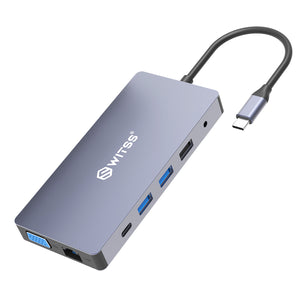
€29,99incl. VAT€24,79excl. VAT
Together
€48,98incl. VAT€40,48excl. VAT
€46,55incl. VAT€38,47excl. VAT
5% combo discount, automatically applied in your cart


€12,49incl. VAT€10,32excl. VAT
Together
€31,48incl. VAT€26,02excl. VAT
€29,92incl. VAT€24,73excl. VAT
5% combo discount, automatically applied in your cart
Guide articles related to this product, with clear explanations on use and connection.

This isn't the first time you're buying something for business, and you know what you need before trusting a new supplier: an...

You have an old hard drive lying around, from a computer that became slow, or one you got rid of during a...

Rescuing photos from your old computer: that's probably exactly why you're here. Your old computer is getting slow, or you're moving house...
 A Dutch brand you can rely on
Your Cart is Empty
Storage. Connection. Simplicity.
Goes well with your order
€18,99