


The short answer: a USB-C hub is a compact, plug-and-play device that gives your laptop more connections within seconds, ideal if you switch workspaces often. A docking station is a fixed solution with its own power adapter, more charging power, and higher speed for a tidy desk where you work every day. The choice comes down to three things: size, power, and speed.
Same goal, two approaches
A hub and a dock solve the same frustration: a modern laptop has too few ports. Both add extra connections through a single USB-C cable, think of an external monitor, USB ports, network, and an SD card reader. The difference isn't in what they do, but in how they do it.
In short: a hub is made to take with you, a dock to stay put. Around that, they differ in size, how much power they deliver, and how fast they move data.
What is a USB-C hub?
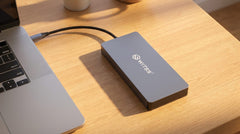
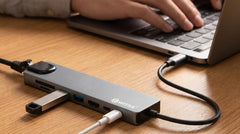
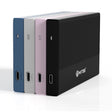
You plug a USB-C hub into a USB-C port on your laptop and it gives you extra connections right away. No installation, no separate power adapter, just plug in and work. The size ranges from a USB stick to a small notebook, so it fits easily in your bag.
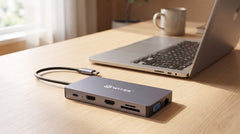
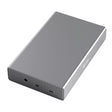
Hubs are made for people who aren't always in the same place: at home, at the office, in a meeting room, or a hotel room. The Switss® 12-in-1 USB-C hub shows how far such a compact device has come: two HDMI outputs plus VGA for up to three monitors, gigabit ethernet, 100W Power Delivery to charge your laptop, an SD and microSD reader, and an audio jack. All without its own power brick.
What is a docking station?
A docking station essentially does the same thing, but is designed to stay in place on your desk. The main difference is its own power supply. Because a dock draws power from the wall outlet rather than your laptop, it can deliver higher charging power and drive more peripherals at once.
- Own power adapter: a dock charges your laptop at high wattages and doesn't need to borrow anything from your USB-C port.
- More bandwidth: docks often use Thunderbolt or USB4, with speeds up to around 40 Gbps. Enough for multiple 4K monitors, fast external storage, or an external graphics card at the same time.
- Fixed setup: you leave it in place. One cable to the laptop, and your monitor, network, keyboard, mouse, and storage are all connected at once.
- Price: a full-featured dock quickly costs several times more than a good hub.
The three differences at a glance
Size, power, and speed: that's what it comes down to. One thing worth knowing: with any external solution, the USB connection determines the maximum speed. USB 3.2 Gen 2 reaches around 10 Gbps (about 1050 MB/s), while USB4 or Thunderbolt goes up to around 40 Gbps. For most people, that difference is only noticeable during very heavy tasks.
| Feature | USB-C hub | Docking station |
|---|---|---|
| Own power adapter | No (sometimes optional) | Yes |
| Laptop charging power | around 65–100W | around 90–140W |
| Number of monitors | 1 to 3 | 2 to 6 |
| Size | Compact, portable | Larger, fixed on desk |
| Thunderbolt / USB4 | Sometimes | Often standard |
| Price | €30–€120 | €120–€400+ |
When do you choose a hub?
For the vast majority of people who work hybrid or from home, a hub is the smartest choice. It costs less, takes up no space, and goes everywhere with you.
- You regularly switch workspaces.
- Your laptop has only one or two USB-C ports and you want to expand them quickly.
- You occasionally connect one or two external monitors, not three monitors plus heavy equipment every day.
- You don't want an extra power strip on your desk.
Looking for something lighter than the 12-in-1? Then the Switss 8-in-1 USB-C hub with 4K HDMI, gigabit ethernet, and Power Delivery is a nice, streamlined setup.
When do you choose a dock?
A dock is worth it if your fixed workspace has high demands.
- You work at the same spot every day and want maximum reliability.
- You drive multiple 4K monitors and use heavy peripherals at the same time, such as an external graphics card or professional audio equipment.
- Your laptop needs a lot of charging power, for example a powerful workstation laptop.
- You need Thunderbolt speed for the heaviest tasks.
The middle ground: hybrid hubs
The line between hub and dock is blurring. A 12-in-1 hub with 100W Power Delivery, three monitors, and ethernet does exactly what only a dock used to do for most office users, without the higher price and the fixed setup.
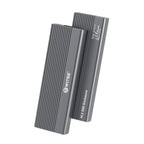
There are even hybrids that go a step further. The Switss 5-in-1 docking station with M.2 combines port expansion with built-in NVMe storage, including 4K HDMI and 100W Power Delivery. That way you get extra connections and fast storage in one compact device.
Conclusion
Do you work hybrid or from home? Then a good USB-C hub will almost always give you the best result for the lowest price. A docking station only pays for itself at a fixed workspace with heavy demands on monitors, peripherals, or charging power.
Want maximum flexibility in one device? Check out the Switss 12-in-1 USB-C hub: three monitors, 100W Power Delivery, ethernet, and a card reader in a compact package. Not sure it fits your laptop? Our Dutch customer service is happy to help, and you get 3 years warranty and 30 days return.
Frequently asked questions
What is the main difference between a USB-C hub and a docking station?
A hub is compact, plug-and-play, and portable, and draws power from your laptop. A dock has its own power adapter, stays on your desk, and delivers more charging power and often higher speeds.
Can a USB-C hub charge my laptop?
Yes, if the hub supports Power Delivery. The Switss 12-in-1 hub delivers up to 100W, enough for almost any laptop, including powerful models.
Do I need a hub or a dock if I work hybrid?
For most hybrid and home workers, a hub is the best choice: cheaper, compact, and portable. A dock pays off mainly at a fixed workspace with heavy demands.
How many monitors can I connect to a hub?
Most hubs support one to two monitors. The Switss 12-in-1 can drive three thanks to two HDMI outputs plus a VGA output.
Does the hub or the dock determine how fast my data transfers?
The USB connection determines the maximum speed. USB 3.2 Gen 2 reaches around 10 Gbps (1050 MB/s), USB4 and Thunderbolt go up to around 40 Gbps. SATA drives stay around 550 MB/s.