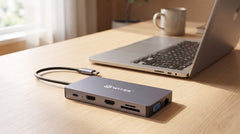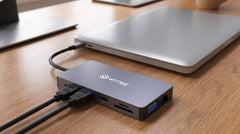


New laptop, and it turns out there's only one USB-C port. Familiar territory if you've just been given a MacBook Air/Pro or a slim Windows ultrabook for hybrid working: the old desktop had plenty of connections, this one doesn't. At home you want a second monitor, your regular keyboard and mouse, stable internet, and charging, all at once, all through that one port. This guide is a short overview: which Switss hub fits your situation, and where to find the detailed explanation for each topic.
In short: which hub fits your home office?
The Switss® 8-in-1 USB-C Hub is the compact option for one external monitor (4K UHD at 30 Hz via HDMI), with charging up to 65W and a price from €11,99 (€19,99 for the Gigabit ethernet variant; prices checked 24-07-2026). Want up to three monitors on Windows (or one on macOS) plus 100W charging? Then the Switss® 12-in-1 USB-C Hub (€29,99, checked 24-07-2026) is the better match. Still unsure after this summary? 5-in-1 vs 8-in-1 vs 12-in-1: which Switss USB-C hub fits you? lays out the full comparison (including the 5-in-1 dock), and Which USB-C hub do I need for my laptop? answers the question step by step for your situation.
Why one USB-C port is enough to connect everything
A USB-C hub turns that one port on your laptop into a distribution point: plug in one cable, and behind it sit the connections for a monitor, network, storage and power that your laptop no longer has built in. That thin laptops have often had just 1-2 USB-C ports in recent years is general market knowledge about laptop design, not a Switss product spec, but it is the reason this type of hub gets searched for so often. A hub isn't automatically the same as a docking station; exactly what the difference is and when you need which one is explained in USB-C hub vs docking station: what's the difference and what do you need?.
Connecting one, two or three monitors
How many monitors you can connect depends on two things: the hub you choose and your operating system. For this audience, that's often exactly the sticking point when buying: the doubt about whether it will actually work with your laptop.
One external monitor staying black?
Often not a hardware fault but a DisplayPort Alt Mode or cable issue: your laptop needs to actually be able to send a video signal through that USB-C port, not just data and power. How to check and fix that is covered in USB-C hub and a second monitor: why doesn't it always work?.
Two monitors at once
This is only possible with a hub that has two video outputs: the Switss® 12-in-1 USB-C Hub (2x HDMI + 1x VGA), not the 8-in-1. The latter has exactly one HDMI output, confirmed in the product page's own FAQ, which answers the question of whether you can connect two monitors at once with: "No, one HDMI output, one external monitor." If you specifically want to know how to connect a laptop to two monitors via a USB-C hub, a detailed guide on that is coming soon to the Switss blog ("Connecting a laptop to 2 monitors: the complete guide via a USB-C hub").
Three monitors (Windows only)
With the 12-in-1, that's possible on Windows; on macOS it stays at one external monitor unless you add extra DisplayLink hardware, a confirmed spec from the 12-in-1's own FAQ, not the standard claim for the whole hub line. The full explanation is in Three screens on your laptop or MacBook: what's possible?.
What resolution and Hz can you expect?
4K by itself says nothing about the refresh rate (Hz): that depends on the hub and on how many monitors you're using at the same time. A detailed guide specifically about resolution and refresh rate for USB-C hubs with HDMI is coming soon to the Switss blog ("USB-C hub with HDMI: what resolution and refresh rate can you expect?").
Reliable internet and enough power while you work
Stable internet over the cable
Gigabit ethernet via the hub is more stable than Wi-Fi for video calls and large files: no Wi-Fi interference, no fluctuating speed. Both Switss hubs have a Gigabit RJ45 port up to 1000 Mb/s, but note: for the 8-in-1, that applies explicitly to the "1000 Mbps" variant (€19,99, checked 24-07-2026); the cheaper "100 Mbps" variant (€11,99, checked 24-07-2026) is not expected to have that gigabit speed: that can be inferred from the variant name, but the product page doesn't list a separate, explicit ethernet spec for that variant [assumption, not confirmed as a verified spec]. The full explanation is in Gigabit ethernet via USB-C: stable internet on your laptop.
Enough watts to charge
The PD wattage (Power Delivery, the charging power delivered via the cable) of the hub determines whether your laptop tops up while in use or just holds its charge. The 8-in-1 delivers 65W: enough for most laptops, but a MacBook Pro 16" that asks for 96W charges more slowly on it (with light use, the battery stays stable or rises slightly, according to the product's own FAQ). The 12-in-1 delivers 100W, "which is enough for virtually all USB-C laptops, including the 16-inch MacBook Pro (96W) and heavy-duty Windows laptops" (literal FAQ text from the product page, verified 24-07-2026). How many watts you need is explained in Charging a laptop through a USB-C hub: how many watts (Power Delivery) do you need?.
From a single hub to a complete home office
For many home workers, a single hub is a stepping stone: eventually you want a fixed setup where you only have to plug in the laptop each morning. That's exactly what the 12-in-1 promises: "Set your laptop down, plug in one cable, and your whole workspace is live" (the product page's own features section). How to set up a fixed docking setup like that is covered in Setting up a home office with one USB-C cable (docking setup).
Warranty and peace of mind when buying
Both hubs come with a 2-year manufacturer's warranty, plus a 30-day free return policy. If you're unsure about compatibility with your laptop, you can simply return the hub if it doesn't work as expected.
Frequently asked questions
Does a USB-C hub work with every laptop?
No, not every laptop. You need a laptop with USB-C that carries a video signal alongside data and power (DisplayPort Alt Mode), confirmed working on, among others, MacBook Air/Pro from 2018 onward, Dell XPS, HP Spectre and Lenovo ThinkPad X1 (source: the 8-in-1 hub's FAQ; functionally also applicable to the 12-in-1, since both hubs have the same DisplayPort Alt Mode requirement, but this isn't stated literally on the 12-in-1 page). Check your laptop's manual or specifications for "USB-C with DP" or "Thunderbolt". A detailed compatibility check per laptop brand (MacBook, Dell, HP, Lenovo) is coming soon to the Switss blog.
What's the difference between a USB-C hub and a docking station?
In short: a hub adds individual connections to your laptop, a docking station is usually set up more extensively. The full explanation is in USB-C hub vs docking station: what's the difference and what do you need?.
Can I connect two or three monitors with a USB-C hub?
That depends on the hub (number of video outputs) and your operating system: on Windows, the 12-in-1 can handle up to three monitors, on macOS it stays at one. See USB-C hub and a second monitor: why doesn't it always work? and Three screens on your laptop or MacBook: what's possible? for the details.
Does a USB-C hub also charge my laptop while I work?
Yes, via the PD port. The 8-in-1 delivers 65W, the 12-in-1 100W: the difference is most noticeable on laptops that demand a lot of power, such as a MacBook Pro 16". Work out how many watts you need in Charging a laptop through a USB-C hub: how many watts (Power Delivery) do you need?.
Is internet through the hub just as stable as a cable straight into my laptop?
Yes, with the Gigabit variant of the 8-in-1 or with the 12-in-1. Note: your own internet subscription still sets the maximum. A 500 Mb subscription won't give you 1000 Mb through the hub either (confirmed in the product's own FAQ). Full explanation: Gigabit ethernet via USB-C: stable internet on your laptop.
Which Switss hub is right for me: 8-in-1 or 12-in-1?
Choose the 8-in-1 for one monitor and up to 65W charging (from €11,99). Choose the 12-in-1 for up to three monitors (Windows) and 100W charging (€29,99, prices checked 24-07-2026). Want to see the 5-in-1 dock too? Check out the full comparison in 5-in-1 vs 8-in-1 vs 12-in-1: which Switss USB-C hub fits you?.
Which hub will you choose?
Want one external monitor, straightforward charging and stable internet? The Switss® 8-in-1 USB-C Hub starts at €11,99 (€19,99 for the Gigabit ethernet variant, checked 24-07-2026). Need two or three monitors, or higher charging power? Check out the Switss® 12-in-1 USB-C Hub, €29,99 (checked 24-07-2026). Both come with a 2-year manufacturer's warranty and a 30-day free return policy. Still unsure? Which USB-C hub do I need for my laptop? answers the question for your specific situation.