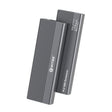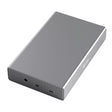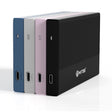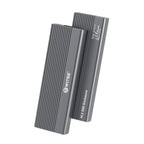



The short answer: most laptops need at least 45W Power Delivery to avoid draining the battery during use. A MacBook Pro, a demanding Windows laptop or a gaming machine needs 65W to 100W to actually charge under load. A hub with 100W PD, such as the Switss 12-in-1 USB-C hub, covers nearly every laptop.
What is Power Delivery and how does it work through a hub?
Power Delivery (PD) is the USB standard that determines how many watts a USB-C cable can carry. With a USB-C hub, it works like this: you connect the hub to a charger (or mains power), and the hub passes part of that power to your laptop through the Power Delivery port, while that same hub simultaneously drives your monitors, peripherals and network.
Two things are essential to understand:
- The hub sets the maximum. If the hub supports 65W PD, it will never deliver more than 65W, even if your charger can supply 100W.
- The laptop decides how much it accepts. A MacBook Air accepts a maximum of 67W; a MacBook Pro up to 96W. Send it more than that maximum and the laptop throttles it itself.
The final charging speed also depends on the USB-C cable you use (not every cable supports high power) and on what you are doing on your laptop at that moment.
Which wattage fits which laptop type?
| Laptop type | Minimum recommended PD | Recommended PD for comfortable use |
|---|---|---|
| Chromebook, small Windows ultrabook | 30W | 45W |
| MacBook Air (M1/M2/M3) | 45W | 67W |
| MacBook Pro 14" | 67W | 96W |
| MacBook Pro 16" | 67W | 140W (or 100W minimum) |
| Windows laptop (mid-range) | 45W | 65W |
| Demanding Windows laptop / workstation | 65W | 100W |
| Gaming laptop | 65W | 100W+ (often needs an extra adapter) |
With less wattage than recommended you still charge, just more slowly than the battery drains under heavy use. That is fine for light tasks, but annoying if you are editing video or running a large build.
65W vs. 100W: when does it make a difference?
65W Power Delivery
The Switss 8-in-1 USB-C hub delivers 65W PD. That is enough for:
- MacBook Air (any generation)
- Most Windows ultrabooks and mid-range laptops
- iPads and other tablets
With a MacBook Pro 14" or 16" you charge at 65W, just more slowly than with the original charger. Under light use that is fine. Rendering 4K video or running a heavy compile can still drain the battery a little.
100W Power Delivery
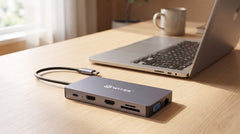
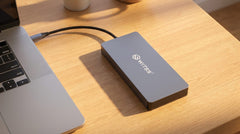
The Switss 12-in-1 USB-C hub and the Switss 5-in-1 hub with M.2 enclosure both deliver 100W PD. That is the safe choice if you:
- Have a MacBook Pro 14" or 16"
- Use a demanding Windows laptop or mobile workstation
- Do not want to worry about whether the wattage is enough
With 100W PD you can even charge a MacBook Pro 16" during use, not as fast as with the 140W MagSafe charger, but fast enough to avoid discharging.
One cable, everything connected
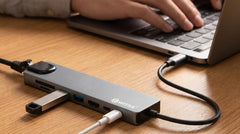
The big advantage of a USB-C hub with Power Delivery is the single-cable setup. One USB-C cable from the hub to your laptop handles:
- Power (charging)
- Video output to one or more monitors
- Connection to keyboard, mouse and other USB devices
- Network via ethernet
That saves desk space and prevents cable chaos. It is a practical advantage especially for people who regularly switch between home and office: plug in one cable and everything works.
What to check on the cable
Power Delivery hubs only work at their best with a good USB-C cable. Check:
- Power class: cables are often rated at 60W or 100W (also listed as 3A or 5A). For 100W PD you need a 5A/100W cable.
- Cable length: longer cables have more resistance. Beyond 1 metre the delivered power can drop slightly under maximum load.
- USB-IF certification: a certified cable is more reliable than cheap imitations.
Frequently asked questions
Can I charge my laptop through a USB-C hub if the hub has no PD port? No. Only hubs with an explicit Power Delivery port can pass power to your laptop. A hub without PD does power peripherals, but does not charge your laptop.
Does 100W PD damage my laptop if it only accepts 65W? No. The laptop itself controls how much power it draws. 100W PD is the maximum the hub can deliver; the laptop only takes what it needs.
Does the charger also need to be 100W if I use a 100W PD hub? Yes, the charger you connect to the hub must be able to supply at least the wattage you want. With a 45W charger on a 100W hub you also only pass 45W on to your laptop.
Is Power Delivery through a USB-C hub as fast as plugging in directly? Almost always a little slower, because the hub itself also uses power for the connected devices. In practice the difference is small under light use.
Which hub is best for a MacBook Pro 14"? A minimum of 65W PD is enough for light use, but for comfortable charging under load we recommend a hub with 100W PD: the Switss 12-in-1 or the 5-in-1 are the right choice then.
Conclusion
For most laptops, 65W PD is more than enough for daily use. If you have a MacBook Pro, a demanding Windows laptop or a mobile workstation, 100W PD is the sensible choice: you then charge comfortably even under load without draining the battery.
Want everything in one hub: two monitors, ethernet, an SD card reader and 100W PD? Check out the Switss 12-in-1 USB-C hub. Need a lighter setup? The Switss 8-in-1 hub with 65W PD has everything you need for the average home office.